
Think back to the last thing you ordered online. Right after paying, you probably waited for some sign that the order went through. Then you likely checked, more than once, when it would arrive.
Ecommerce SMS notifications exist to settle exactly that anxiety. A quick “Your order is confirmed” or “Your package arrives today” makes customers feel looked after. Your support team benefits too, since they stop fielding the same “Where’s my order?” question all day.
Here’s what these notifications are, which ones your store needs, and how to set them up properly.
What ecommerce SMS notifications actually are
They’re automated texts that go out when something happens with a customer’s order or account. A customer places an order and gets a message. The order ships and another follows. Events in your store trigger each one, and the text lands on the number the customer entered at checkout.
These messages split into two groups, and the difference matters more than most store owners expect.
Transactional messages cover the customer’s order or account. Think OTPs, order confirmations, shipping updates, delivery alerts, and refund notices. Customers expect them and rely on them.
Promotional messages are marketing. Discount codes, festive sales, and new arrivals all fall here. You need the customer’s permission to send them, and many countries, India included, apply stricter rules and a separate sending route.
Confuse the two and telecom operators may block your messages, so sort this out early.
Why SMS when you already have email?
Email costs less and offers more flexibility. SMS still wins in a few areas.
Any phone can receive it, including basic feature phones, with no internet connection required. Stores selling to customers in smaller towns feel that difference immediately.
Texts are also hard to miss. Order emails often vanish into promotions tabs or sink under newsletters. A text sits right on the lock screen.
Indian ecommerce brands get one more benefit through cash-on-delivery orders. A quick SMS asking the customer to confirm a COD order before dispatch cuts fake orders and reduces the expensive problem of packages returning undelivered.
Notifications worth sending
You don’t need every one of these on day one. A complete setup usually includes the following.
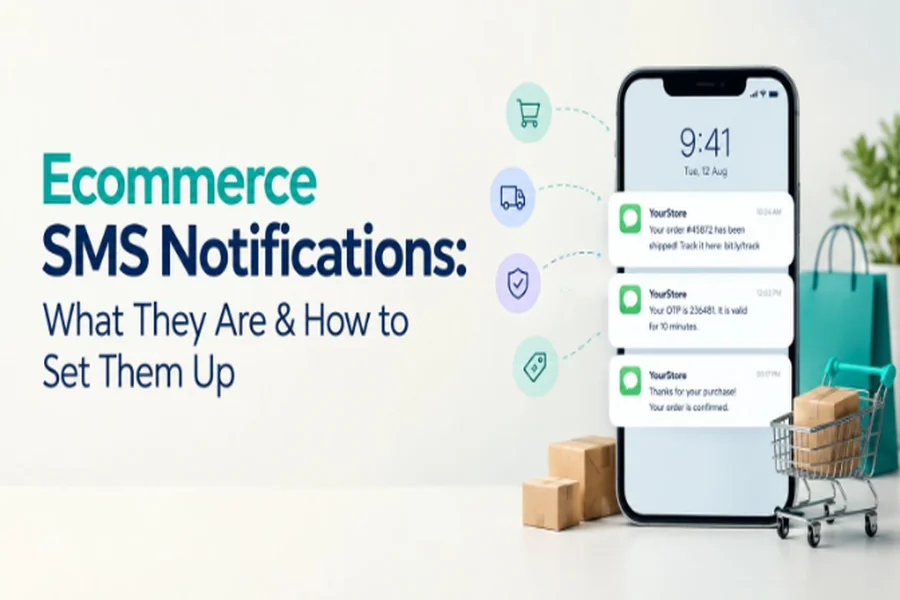
Order confirmation. Send it right after purchase with the order number and a tracking option. For example: “Hi Priya, your order #10452 is confirmed. We’ll let you know when it ships. Track it here: [link] – StoreName”
Payment confirmation or failure. Failure alerts matter most, because they give customers a chance to retry before they give up.
OTPs. Used for login, signup, and COD verification. They have to arrive within seconds, every single time.
Shipping confirmation. Share the courier name and tracking link once the order leaves your warehouse.
Out for delivery and delivered. Customers love the out-for-delivery text because it tells them to stay home.
COD verification. A simple request to confirm the order before you ship it.
Returns and refunds. Update customers when you pick up the return, receive it, and issue the refund. Refunds make people nervous, so keep them informed.
Abandoned cart reminders. Helpful, but they count as marketing and require consent.
Offers and back-in-stock alerts. Send these only to customers who have opted in.
How to set it up
1. Map out what you’ll send
Before choosing any tool, sketch the moments in the customer journey where a text genuinely helps. Start with the essentials: confirmed, shipped, out for delivery, delivered. Add more later.
Don’t text customers at every tiny step. Five messages for a single order starts to feel like spam, even when each one is technically useful.
2. Choose a provider you can trust
Your provider gets messages onto phones, so choose carefully. When comparing SMS providers, check delivery speed and reliability, separate transactional and promotional routes, clear API documentation, and ready-made plugins for your platform, whether that’s Shopify, WooCommerce, or a custom build.
Sending to Indian numbers? Ask how much DLT registration support each provider offers. Some walk you through the entire process. Others leave you to figure it out.
3. Complete DLT registration (for India)
New store owners stumble here more than anywhere else. TRAI requires any business sending commercial SMS in India to register on a DLT (Distributed Ledger Technology) platform run by the telecom operators.
The process has three main parts. First, register your business as an entity. Next, register your sender ID, the short name customers see as the sender, usually your brand. Finally, register every message template you plan to use, with placeholders for details that change, like the customer’s name or order number.
Operators generally won’t deliver a message that doesn’t match an approved template. Write your templates carefully and register everything before launch. For promotional messages, keep records of customer consent as well.
4. Keep transactional and promotional messages apart
Lots of stores trip up here. Always send order updates through a transactional SMS route, never a promotional one. Transactional messages go out at any hour and reach customers even after they opt out of marketing, because the customer genuinely needs that information.
Skip the urge to tuck a discount code into your shipping confirmation. Operators may reject the template, and the message loses focus on its one job.
5. Connect SMS to your store
You have two options. The simpler one uses a plugin or app from your SMS provider. Connect your account, match each store event to a template, and you’re nearly done.
The second option uses the provider’s API directly. Choose it if you run a custom-built store or want messages triggered from your order management system, shipping software, or CRM. You’ll need a developer, but you gain much more control.
6. Write messages people can read in two seconds
Keep each one short, ideally within a single SMS. Include your store name so people know who sent it. Mention the detail they care about, such as the order number, amount, or delivery date. Add a link when there’s a next step.
Nobody wants a paragraph in a shipping text.
7. Test every scenario
Place a few test orders and walk through the full journey. Include cancellations and refunds, which people often forget. Confirm that names and order numbers fill in correctly, links open, and messages arrive on time. Catch broken templates yourself before a customer does.
8. Watch the numbers
After launch, review delivery reports regularly. Look for failed messages, check whether customers click tracking links, and see whether order-status tickets actually drop. Rising unsubscribes on promotional texts usually mean you’re sending too often.
Small habits that pay off
Ask for marketing consent clearly at checkout instead of burying it in fine print. Send promotional texts at reasonable hours, never late at night. Use the same branded sender ID every time so customers learn to recognize you. Stick to your own domain or a trusted shortener for links, because random URLs make people suspect scams. Make opting out of marketing easy. And guard customer phone numbers carefully, since customers trusted you with them.
Wrapping up
Customers rarely notice SMS notifications when they work well, and that’s exactly the point. They answer questions before anyone asks, reassure first-time buyers, and keep deliveries on schedule.
Start with core order updates, sort out your provider and compliance, and move into promotional messages only after customers say yes. Nail those basics and your store instantly feels more professional.


