

Power keeps work, study, and entertainment moving, and your laptop charger is the quiet tool that makes all of that possible day after day. It sits under desks, travels in backpacks, and runs for hours on kitchen counters without much attention until something feels off. Because it lives such a hard-working, low-profile life, small issues like heat, frayed cables, or loose connectors can sneak up and quickly turn into bigger problems. Knowing what to watch for and how to respond can prevent interruptions, protect your laptop, and keep you safe. In this article, you will learn how daily habits affect chargers, the warning signs of failure, and practical steps to replace and care for them with confidence.
How Everyday Usage Affects Your Charger
Cable Bending, Twisting, and Wear
Frequent sharp bends near the connector create internal breaks that may not be visible at first but cause intermittent power drops. Twisting the cable to wrap it tightly or stuffing it into a small pouch strains the conductors and weakens the jacket. Over time, you might notice the laptop charges only when the cable sits at a certain angle, which is a sign that the internal wires are damaged. Light fraying or a soft spot near the strain relief means the cable is close to failure and should be replaced to avoid overheating. A looser wrap with larger loops and using a simple Velcro tie helps prevent fatigue and preserves the cable’s structure.
Heat Exposure from Extended Use
Heat is a natural byproduct of charging, but trapped heat accelerates wear on components and shortens lifespan. Placing the power brick on a carpet, under bedding, or inside a bag restricts airflow and causes temperatures to climb unnecessarily. Warm weather, direct sunlight, or running at high output for long sessions make the adapter even hotter to the touch. If you notice the brick is uncomfortable to hold or leaves a warm spot on the desk, improve ventilation and give it breaks during long charges.
Connector Strain from Frequent Plugging
Repeatedly plugging and unplugging at angles wears both the charger tip and the laptop’s port, leading to loose connections. Yanking the cable to disconnect or letting the connector hang in midair adds leverage that the joint is not designed to handle. Dirt or dust in the port can increase resistance, causing warmth and intermittent power that looks like a failing charger. If the connector feels wobbly or you see small sparks when connecting, stop and inspect both the plug and the port carefully. Support the connector during use with gentle, straight alignment and avoid tension that pulls the tip sideways.
Signs It’s Time to Replace Your Charger
Consistent symptoms are your best guide: random disconnects, visible damage, a burning or chemical smell, or unusual heat that does not improve with better airflow. If your laptop reports “not charging” or “slow charging” with a known-good outlet and proper seating, the adapter or cable may be failing internally. Buzzing sounds, flickering indicator lights, or discoloration on the brick suggest aging components that should be retired. Any exposed wire, melted plastic, or cracking at the strain relief is an immediate replacement signal for safety reasons. When in doubt, prioritize safety and device protection, since a marginal charger can damage your laptop or lead to data loss at the worst moment.
Safe Replacement Strategies
Choosing Manufacturer-Approved or Certified Chargers
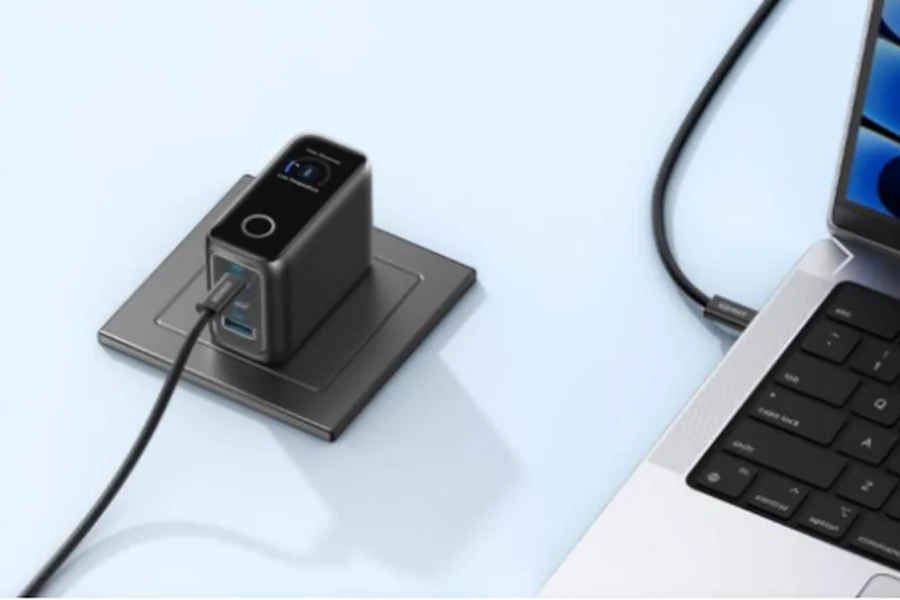
Approved or certified chargers match safety standards, provide stable power, and protect both you and your laptop from avoidable risks. Quality control ensures accurate power delivery that avoids surges, dropouts, and the heat spikes that wear components prematurely. Anker provides a wide variety of charging cables and chargers you may need, with safety you can count on for everyday use. Choosing a trusted option from Anker simplifies compatibility and peace of mind, whether you work at home or travel often. With dependable parts and careful design, you reduce guesswork and gain long-term reliability.
Checking Compatibility – Voltage, Wattage, Connector Type
A safe replacement starts with matching the required voltage exactly, since even small deviations can stress your laptop’s power circuitry. Wattage should meet or exceed the original specification so the adapter does not run at its limit during heavy workloads. Connector type and polarity must fit perfectly to avoid poor contact and unnecessary heat during every session. Check your laptop’s documentation or the original adapter label to confirm these numbers before buying. With the right match, charging stays stable, the adapter runs cooler, and your battery management works as intended.
Avoiding Low-Quality Third-Party Alternatives
Low-cost options can look tempting, but inconsistent regulation and weak materials often show up as heat, noise, or unstable charging. Small savings up front can become costly if a poor adapter damages your battery or interrupts work at a critical time. Inconsistent connectors also wear out ports faster, adding repair risks that are harder to fix than replacing a charger. Reliable build quality and attention to safety standards make daily use uneventful and predictable. Choosing a well-regarded, certified charger removes uncertainty and protects your time, data, and device.
Tips to Extend Charger Lifespan
Keep the adapter on a hard, ventilated surface during use and store it in a cool, dry place when not in use. Wrap the cable in loose, natural loops rather than tight coils, and avoid sharp bends at the strain relief. Unplug by gripping the plug, not by pulling the cable, and keep tension off the connector while the laptop is charging. Periodically inspect the cable and brick for soft spots, discoloration, or nicks, and clean the laptop port gently with air if dust builds up. Treating the charger as a vital accessory rather than an afterthought pays off in steady performance and fewer replacements.
Conclusion
Small, consistent habits keep your charger cool, your connections firm, and your work uninterrupted. Paying attention to heat, handling the cable gently, and matching specifications when replacing the adapter preserves both safety and performance. Visible wear, persistent disconnects, or odd smells are clear signals to stop using the charger and choose a safe replacement. Opting for certified, dependable gear and maintaining a clean, ventilated setup will extend the lifespan and protect your laptop. With a bit of awareness and care, your charger will quietly support your day for years to come.